
Introduction
The intake workspace is where you do day-to-day work on a single claim: SSA-oriented forms and data, documents, e-signatures, notes, and exports. This view often runs in focus mode — the main app sidebar and header chrome may be hidden so you can concentrate on the claim.
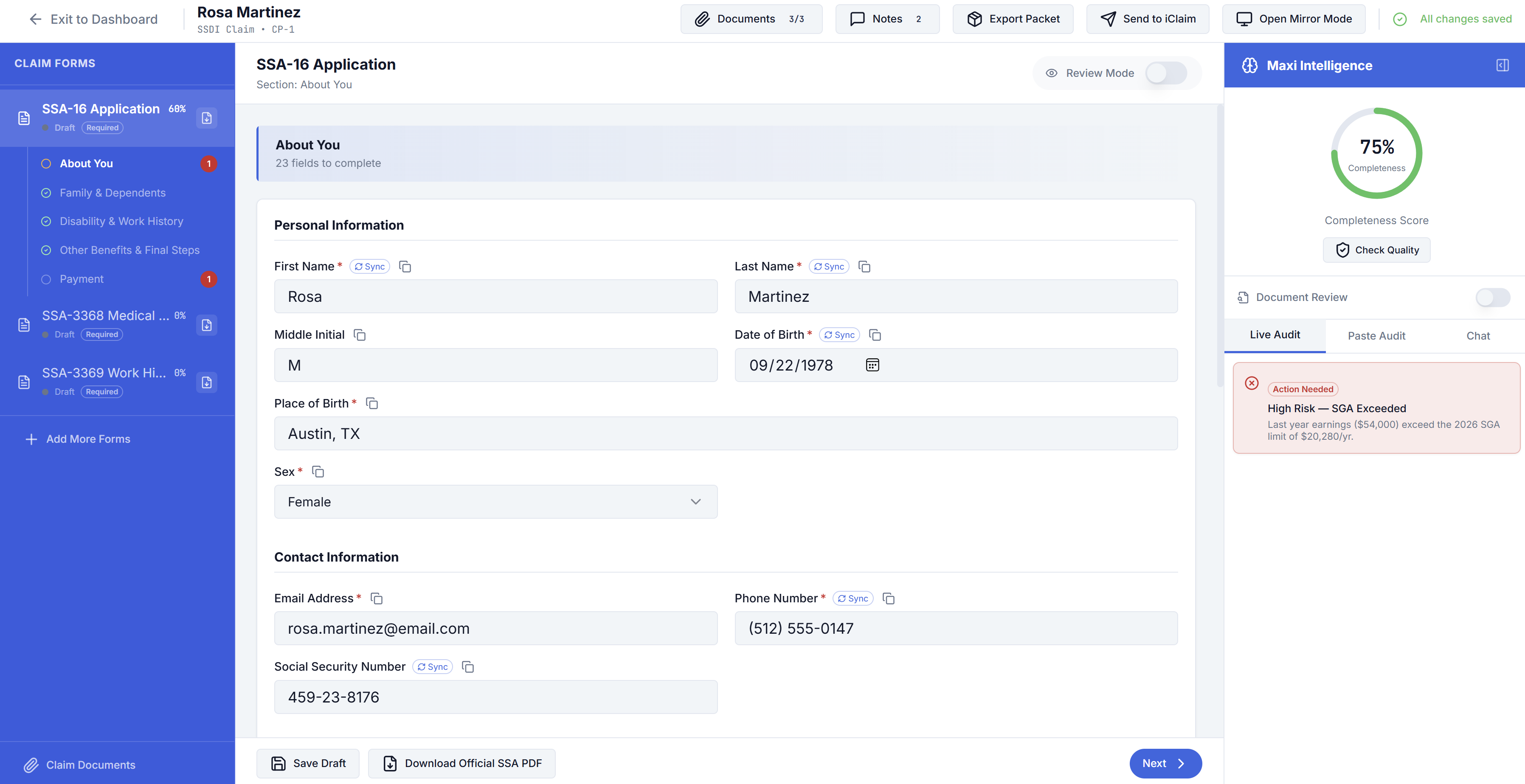
Overview and claim status
At the top or side of the workspace you usually see claim summary information: parties, status, and key dates. Use this area to confirm you are on the correct claim before making changes.
SSA forms and data entry
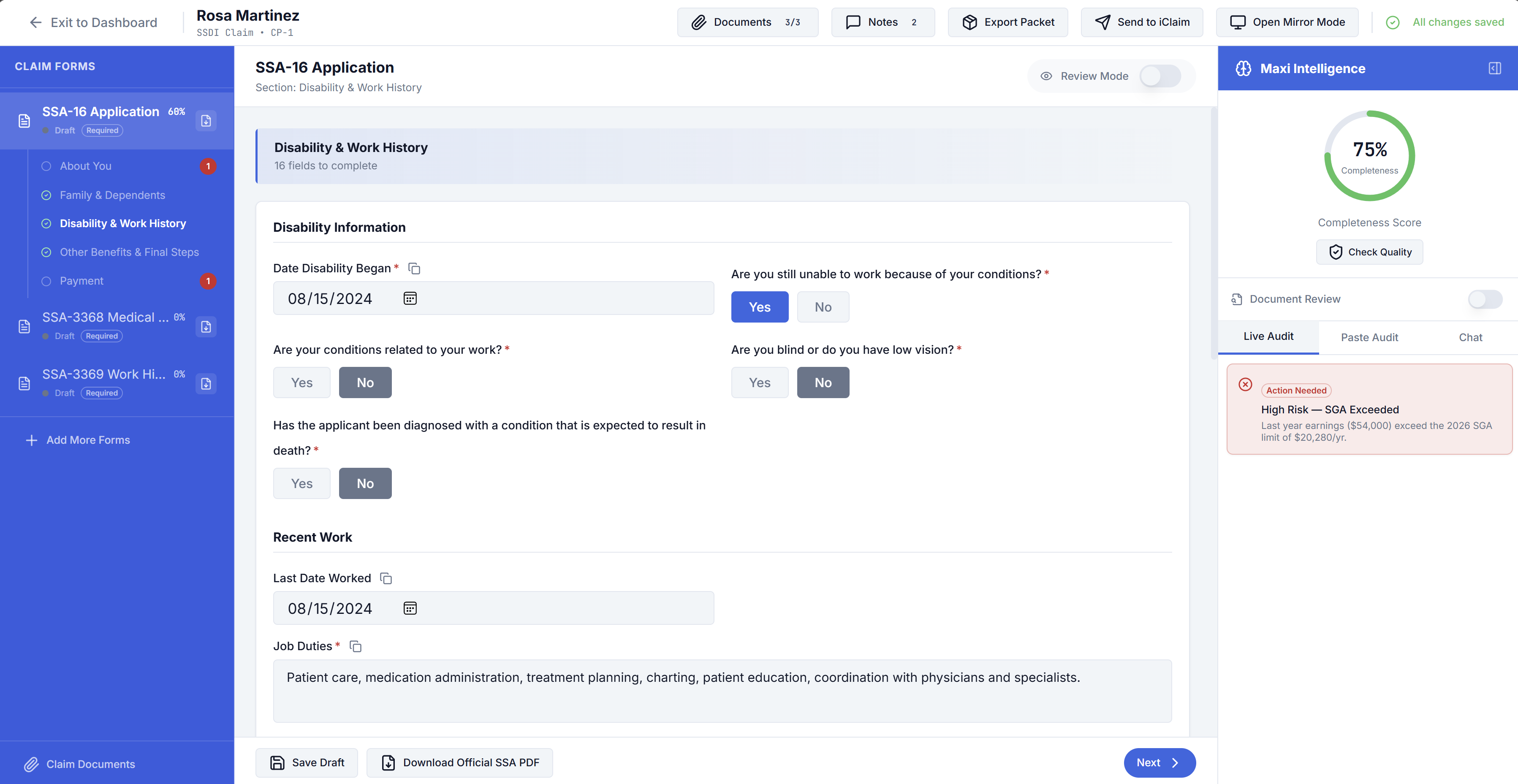
Data entry is organized into sections or tabs that align with SSA-style forms and supporting questions (for example disability details, work history, medical history, and function reports). Complete fields in the order your firm recommends; the app may validate required items before you can advance or export.
SSI application (SSA-8001)
SSA-8001 (SSI application) appears in the workspace only when SSI forms are enabled for your account. If you do not see it, ask Counter to enable SSI forms for your firm or user. When enabled, Smart Import and filing flows can include SSA-8001 fields as well.
Import from document
Use Import from document to extract fields from a PDF or image into this claim. You can start a claim from an import, open the dialog from the workspace intake options, or run Review & sync on a completed firm custom form (see below).
Documents
Open the Documents drawer (or panel) for claim files and signature packets:
- Upload supporting files (medical records, IDs, forms) where the UI provides an upload control.
- Download or open files the client or system already attached.
- Size limits may apply. If an upload fails, try a smaller file or a supported format — see Troubleshooting.
Generate Document
Use Generate Document to create and send signature packets for this claim:
- Choose an SSA document template or a firm custom form that is marked ready.
- Follow prompts to generate the packet and complete any representative signing in the app.
- When the claimant must sign, ensure their email is on the claim so DocuSign can email them.
Generated items appear in the documents list with a status (for example generated, advocate signed, sent to client, fully executed).
Signing status actions
Depending on status you may see:
- Sign — Complete your signature step.
- Send — Continue the client send after you have signed.
- Download — Get the PDF when available.
- Review & sync — On a fully signed firm custom form, extract fields and open the import review UI to merge into the claim. Always confirm extracted values.
- Delete — Remove a firm custom form instance from this claim (not used for standard SSA packets the same way).
Follow your firm’s policy for who must sign which documents.
DocuSign and e-signatures
E-signature flows use DocuSign:
- Clients sign via secure email links (and related DocuSign delivery).
- Advocates may sign inside the app when the product presents an embedded signing experience.
When a client finishes signing, you can receive an email if Document Signatures is enabled under Settings → Notifications.
Notes
Use notes to record internal comments for your team. Notes are for workspace collaboration; confirm whether a note is visible only to your firm before recording sensitive information.
Export and filing helpers
When the claim is ready, use product actions to produce PDFs, push to iClaim, or other filing helpers your firm uses. Options depend on which forms and data are complete. See also iClaim Extension.
Mirror mode
If mirror mode is available, it may let you align or preview how data maps across steps or representations (for example comparing draft vs. final). Use it as a review aid when shown in your build.