
Introduction
The Counter Pro SSA iClaim Filler is a Chrome extension that acts as a bridge between your Counter Pro Advocate workspace and SSA iClaim in the browser. After you send claim data from the intake workspace, you can open the official SSA application site and use the extension to fill the current page with that data instead of retyping fields.
Install the extension from the Chrome Web Store: Counter Pro - SSA iClaim Filler.
Requirements
- An active Counter Pro Advocate account and a claim with the data you want to file.
- Google Chrome or Microsoft Edge (Chromium-based), with permission to install extensions from the Chrome Web Store.
Installing the extension
- Open the listing: Counter Pro - SSA iClaim Filler.
- Click Add to Chrome (or Get in Edge) and confirm the installation.
- Pin the extension if you like, so the Counter Pro icon stays easy to reach in the toolbar.
Sending claim data to the extension
- In Advocate, open the Intake Workspace for the claim you are filing.
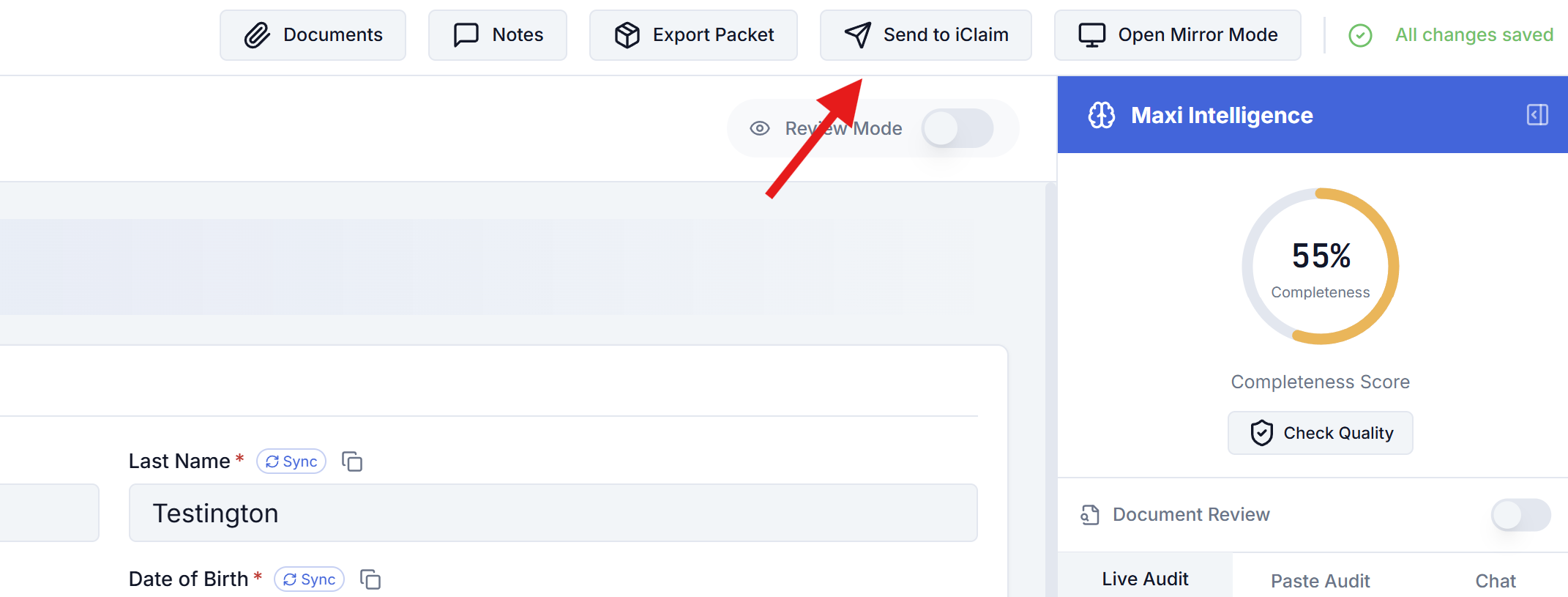
- In the top toolbar, click Send to iClaim.
Counter Pro copies your claim payload to the clipboard and pushes it to the extension. When the handoff succeeds, you will see a confirmation that the data was sent; you can then move to SSA iClaim and use Fill current page as described below.
Filling an SSA iClaim form
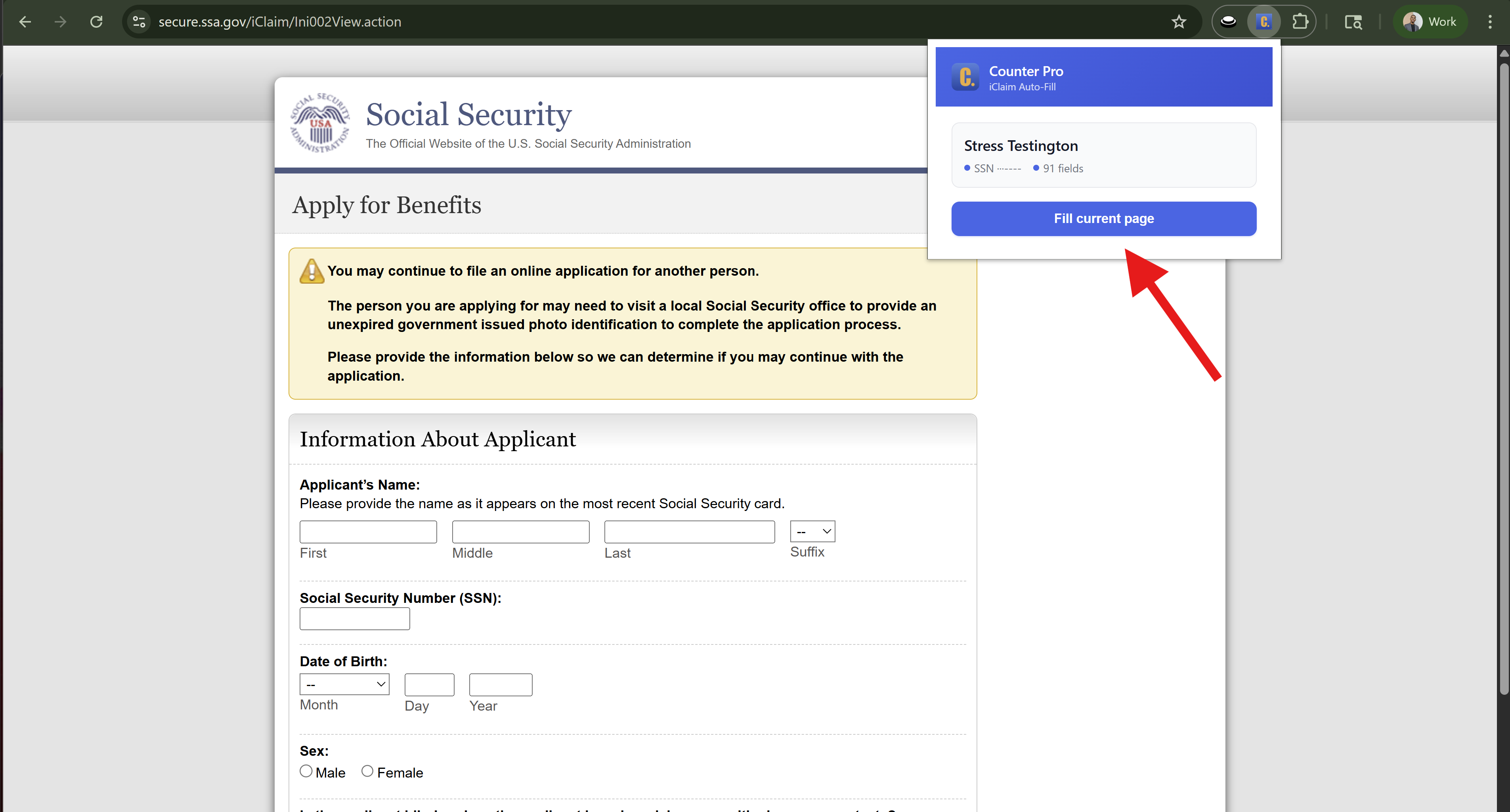
- In the same browser, go to the SSA iClaim flow (for example Apply for Benefits on
secure.ssa.gov) and sign in as needed. - Navigate to the page you want to fill (the extension works on the current SSA tab).
- Click the Counter Pro extension icon to open the popup. You should see the client profile and a count of fields available.
- Click Fill current page to apply the data Counter Pro received from Send to iClaim.
Repeat Send to iClaim from Advocate if you refresh data or switch to another claim, then use Fill current page on each SSA screen as you move through the application.
If the extension is not installed
If you click Send to iClaim but the extension is not installed or the browser cannot talk to it, Counter Pro still copies the claim JSON to your clipboard. The app will prompt you to install Counter Pro SSA iClaim Filler from the Chrome Web Store using the same link as above. You can paste the JSON manually if needed, or install the extension and click Send to iClaim again.