
Introduction
ERE Tracking helps you monitor Electronic Records Express (ERE)-related workflow in one place. The sidebar may show a beta label and attribution by Chronicle, reflecting the integration partner.
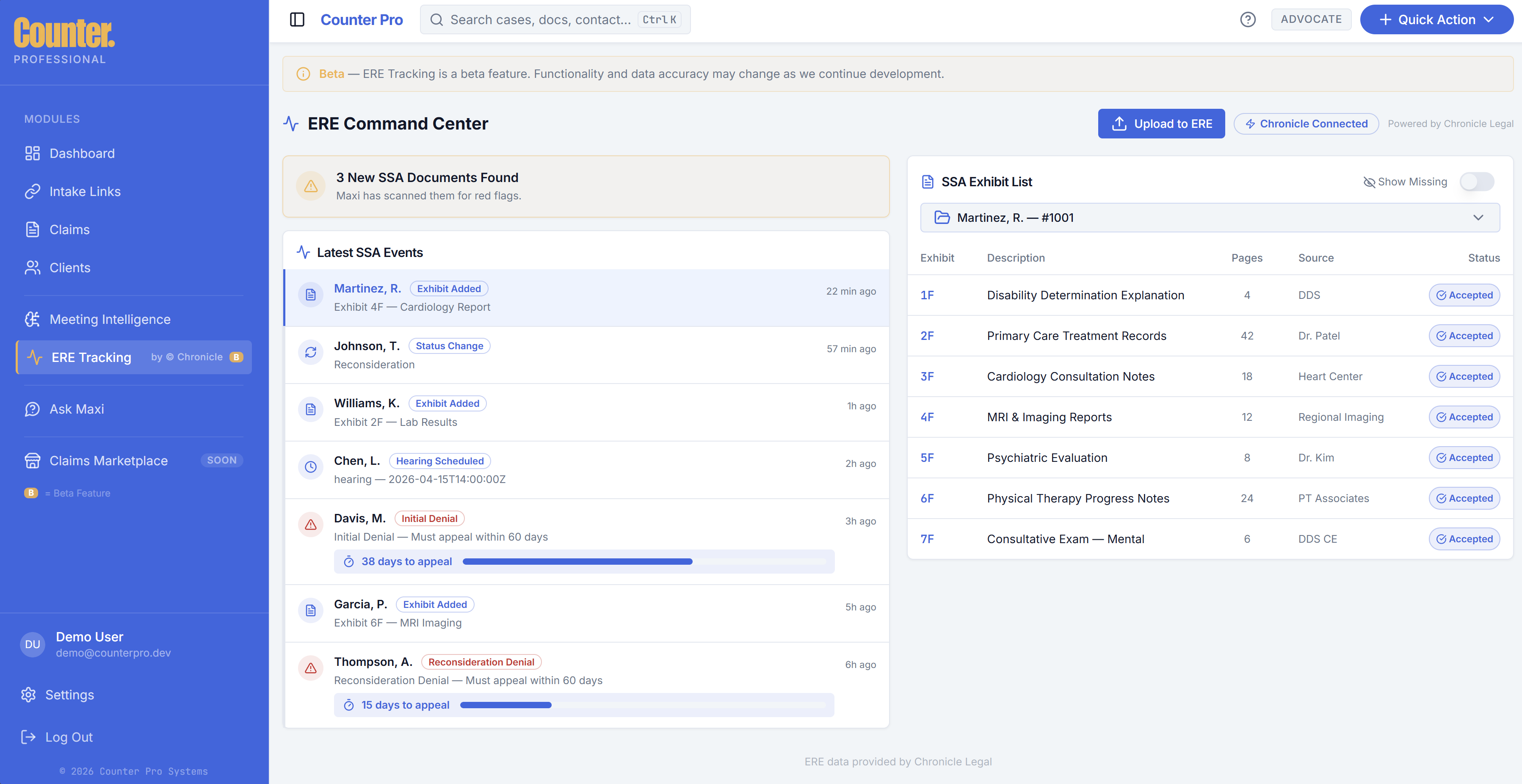
What ERE Tracking is
ERE Tracking surfaces status and activity tied to electronic records submissions or tracking your firm uses with SSA processes. It is a companion to your normal claim work in the intake workspace, not a replacement for SSA systems.
Using ERE Tracking
- Open ERE Tracking from the sidebar.
- Review queues, timelines, or detail panels for items that need follow-up.
- Use links or actions that return you to the relevant claim when available.
If Chronicle appears under Settings → Integrations, your credentials or connection status may affect what you see here.