
Introduction
The Claims page lists disability claims in your workspace. Use it to scan status, filter or search, and open a claim in the intake workspace.
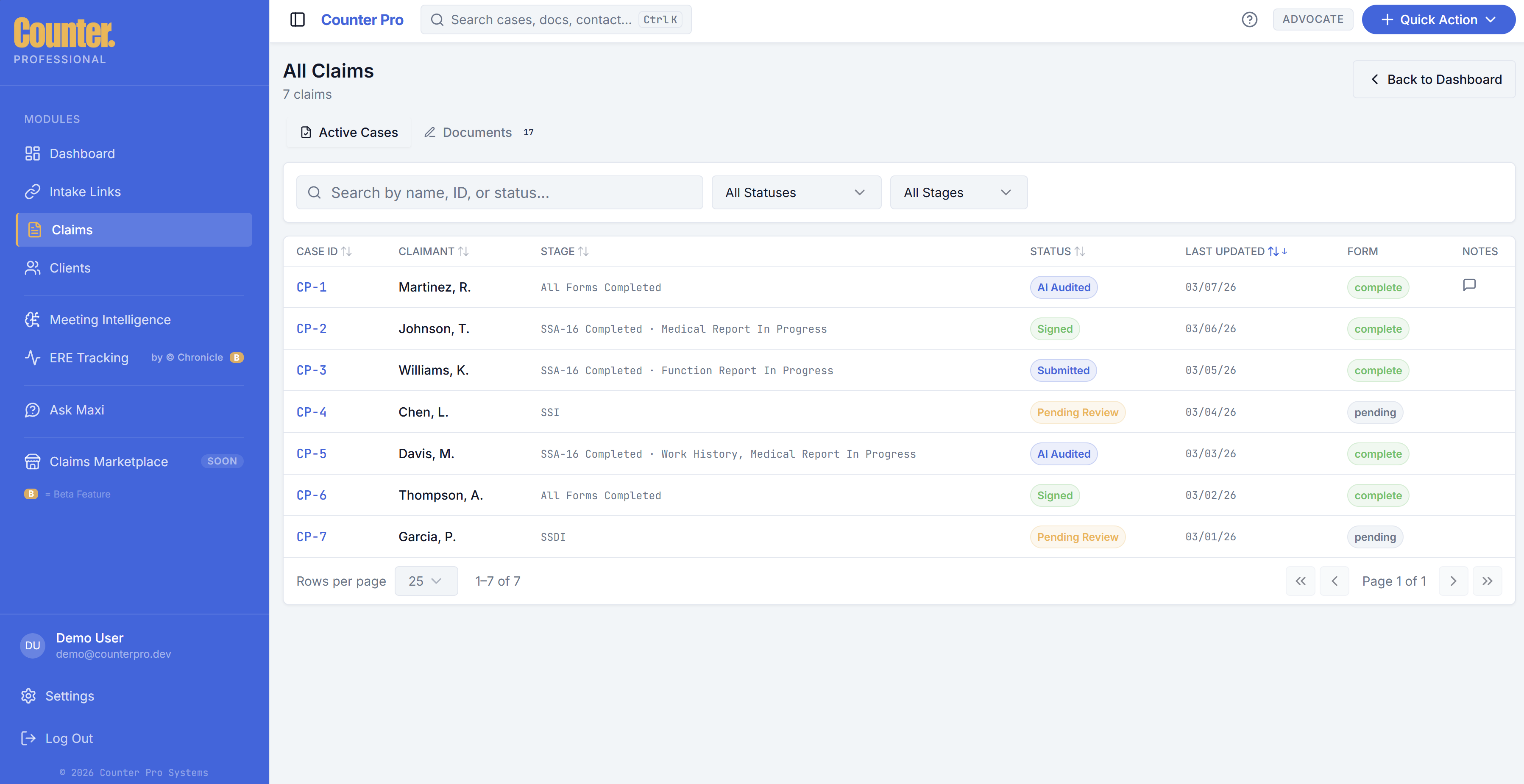
Claims list view
Each row usually represents one claim (or case). Typical elements:
| Element | Purpose |
|---|---|
| Identifiers | Reference numbers or internal IDs for support and filing. |
| Client / claimant | Who the claim is for. |
| Status | Workflow state (for example draft, active, pending documents). |
| Dates | Created, updated, or milestone dates where shown. |
Use column headers, filters, or search (if present on this page) to narrow the list.
Opening a claim
Select a claim to open the intake workspace. That view is optimized for deep work and may run in focus mode (without the main sidebar).
Claim statuses
Status labels are defined by your organization’s workflow. If you are unsure what a status means, use your firm’s internal definitions or ask your administrator.