
Introduction
Intake links are secure URLs you share with clients so they can complete a screener, intake steps, or document requests without logging into the Advocate app. You create and track links from the Intake Links page and from Quick Action.
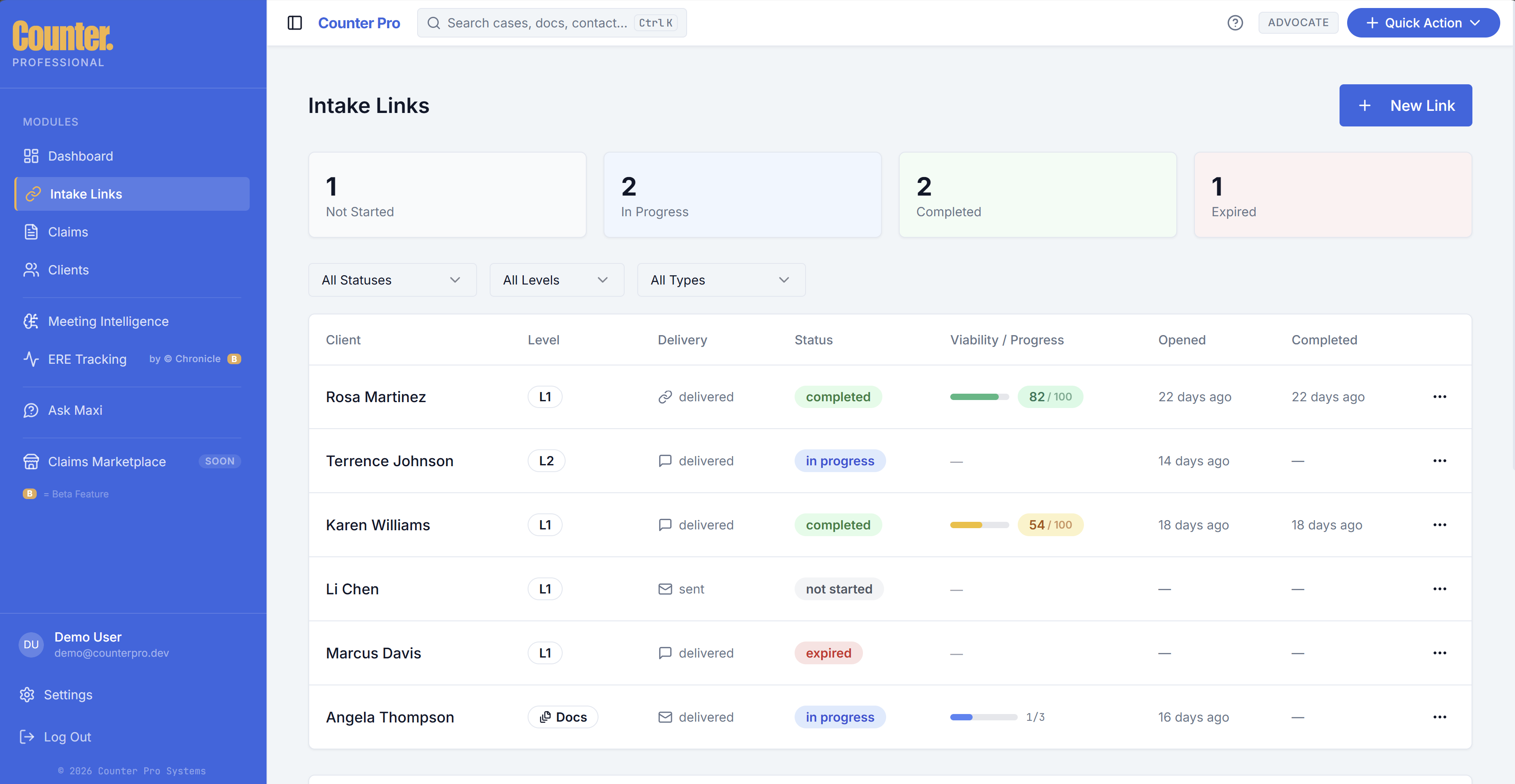
What intake links are
Each link points to a tokenized public intake experience. The client opens the link in a browser, completes the steps you configured, and you see progress back in the Advocate app.
Creating an intake link
Common paths:
- Sidebar — Open Intake Links and use the control to create a new link (wording may vary).
- Quick Action — Choose New Claim, then Send Screener (or equivalent) to generate a link flow.
You may need to pick a client or enter claimant details before the system issues the link. Copy the URL from the app and send it through your approved channel (email, secure portal, etc.).
Managing and tracking links
On Intake Links you can typically:
- See status for each link (for example sent, in progress, completed).
- Copy the link again or resend where the product allows.
- Open the related claim once intake advances far enough to create or attach one.
Client experience
When a client opens the link, they may see one or more steps such as:
- Quick screener — Short questions to qualify or route the case.
- Case vetting — Additional review or data collection.
- Document request — Upload specific files.
- Full intake — Broader questionnaire or forms.
The exact sequence depends on how your firm configured the flow. Clients do not need an Advocate login.